Deploy egress proxy
Prerequisites
Before you begin, ensure that the environment that you want to use an egress proxy in has an NFS server, and you have access to ssh to it.
1. Check the version of the NFS server
From the command line on the NFS server, run the following cat command to check the version. If the /etc/webscale/image file is not exist, the NFS is running an older version.
$ cat /etc/webscale/image
nfs-server-2026.6
If the version of the NFS server is less than 2026.6, open a support ticket to have the NFS server upgraded.
2. Create an origin certificate
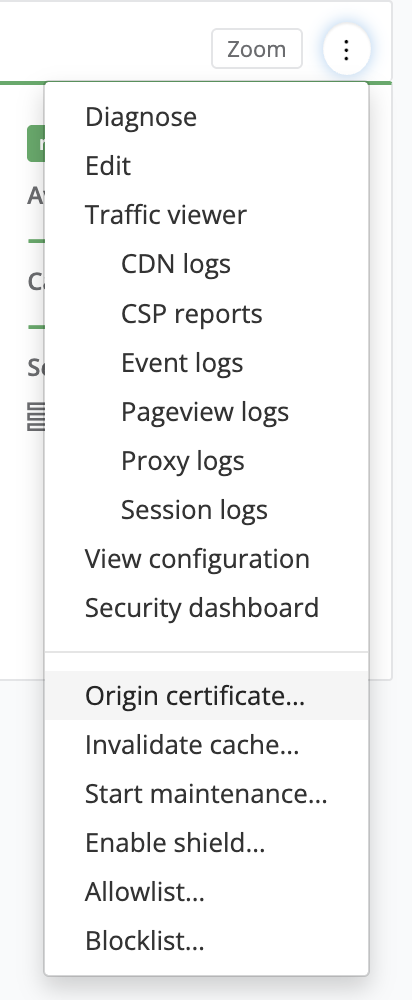
Go to the application menu for any application in the hosted the environment and choose “Origin certificate”. Enter all hostnames for the sites that will be proxied. Download the key and the certificate.
3. Upload certificates to NFS server
Using your preferred editor on the NFS server, copy the content of the downloaded certificate to the file /etc/egress-proxy/origin.crt. Put the key in /etc/egress-proxy/origin.key.
4. Start egress proxy service
Use the following command to enable and start the egress proxy service. It will automatically start on subsequent reboots.
sudo systemctl enable --now egress-proxy.service
5. Monitor and verify logs
To confirm the proxy is working or to troubleshoot connection issues, monitor the egress proxy log file. Use tail to watch requests as they arrive at the proxy:
tail -f /var/log/egress-proxy.log
Feedback
Was this page helpful?
Glad to hear it! Have any more feedback? Please share it here.
Sorry to hear that. Have any more feedback? Please share it here.