Configure web servers
Prerequisites
Before you begin, ensure you have setup an NFS server with egress-proxy.
1. Configure web server cluster
Configure metadata that tells the system where the proxy is located and which hostnames are proxied.
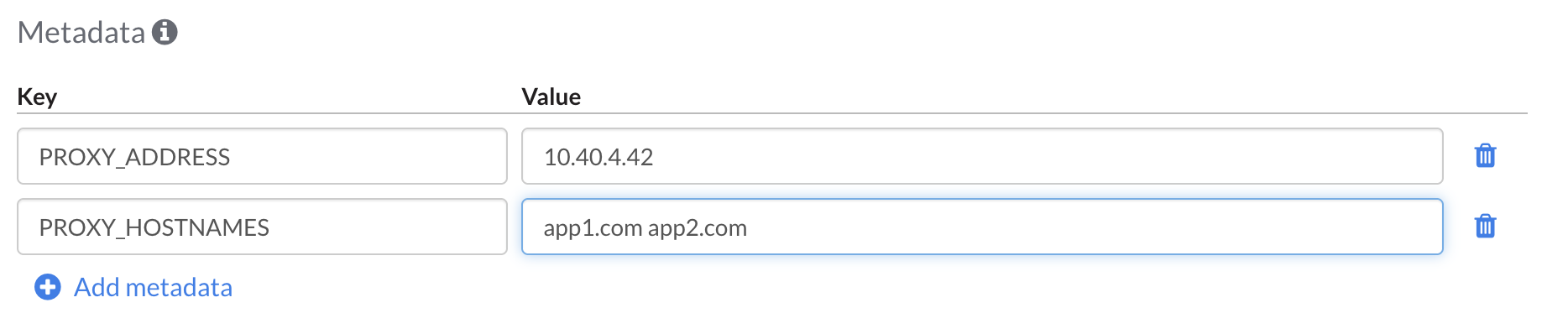
Using the control panel clusters editor, add the following metadata to your cluster configuration:
| Key | Example Value | Description |
|---|---|---|
PROXY_ADDRESS |
10.40.4.42 |
The IP address of your NFS server. |
PROXY_HOSTNAMES |
app1.com app2.com |
A space-separated set of hostnames using the proxy. |
If your cluster is managed, adding metadata will cause automatic deployment. For an un-managed cluster, a manual deployment is necessary.
2. Verification
After a web server is initialized, use SSH connect to open a terminal window and run a command to verify the proxy is used. Use any of the hostnames that you specified in PROXY_HOSTNAMES. The output of the command should show the address of the NFS server and a successful status code.
$ curl -sw '%{remote_ip} %{response_code}\n' -o /dev/null https://app1.com/
10.40.4.42 200
Feedback
Was this page helpful?
Glad to hear it! Have any more feedback? Please share it here.
Sorry to hear that. Have any more feedback? Please share it here.