Stratus Security Guides - External CDNs and Firewalls
Whitelisting Validation for Sucuri
When using Sucuri’s firewall that adds a JS protector in front of the site, whitelist a specific path for our validation to work properly. Whitelisting this path will not compromise the protection on the rest of your site. Our validator uses a simple curl request and cannot process Sucuri’s JS.
Note the UUID of your Webscale STRATUS instance.
- Go to Info panel in the Webscale STRATUS Admin panel.
- Account Name is the UUID of the install.
Log into the Sucuri.net account
Select the one domain to adjust.
Click the Firewall option from the top navigation menu.
Click Access Control.
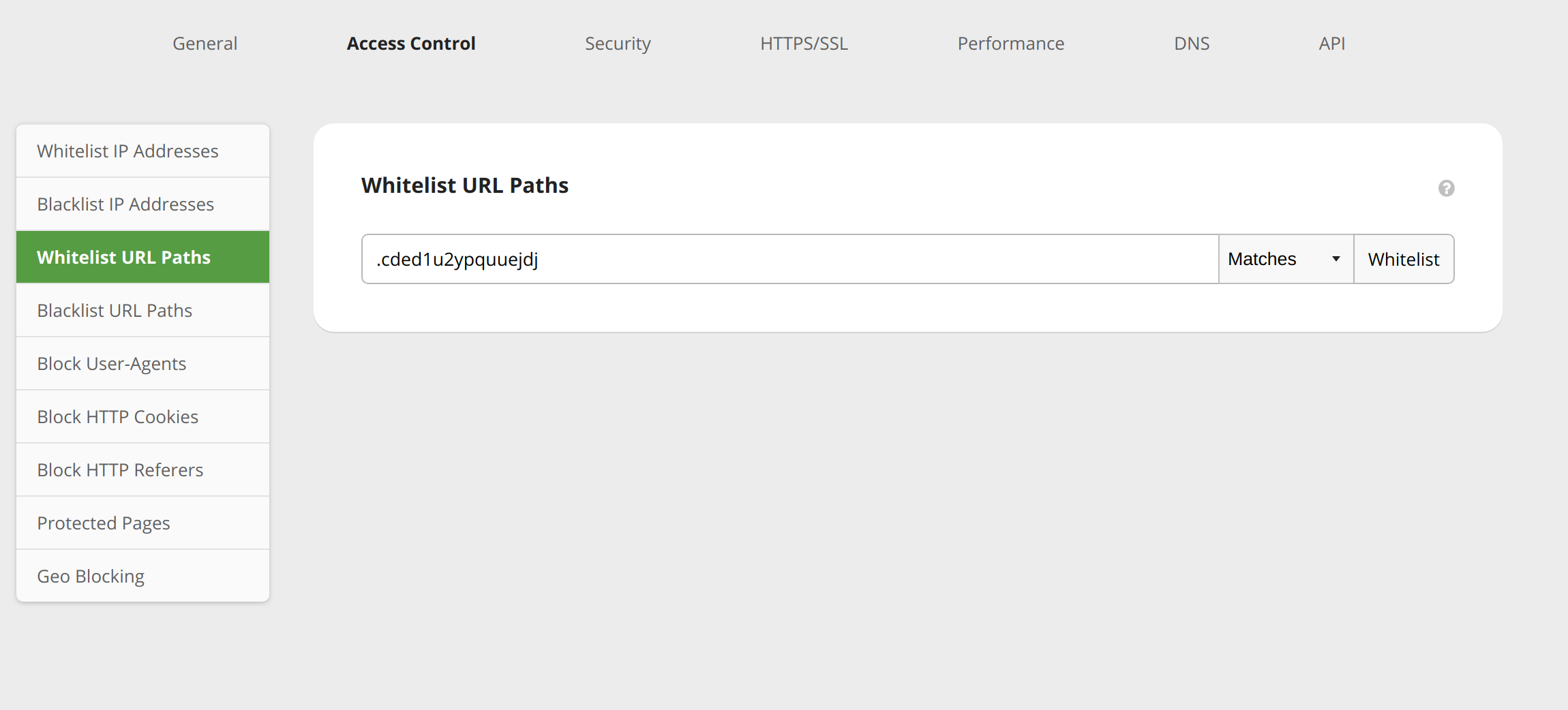
Click Whitelist URL Paths from the left-hand navigation menu.
Whitelist the hidden path as shown, substituting the noted UUID where shown:
https://magemojo.com/stratus/#/stratus/[UUID]/infoClick Whitelist to apply the change.
Confirm the change with a curl command such as
curl https://yourwebsite.com/.[UUID]The result returned should be 200 with “validated.”
Whitelisting Validation for Cloudflare
Note the UUID of your Webscale STRATUS instance.
- Go to Info panel in the Webscale STRATUS Admin panel.
- Account Name is the UUID of the install.
Log in to your Cloudflare.com account.
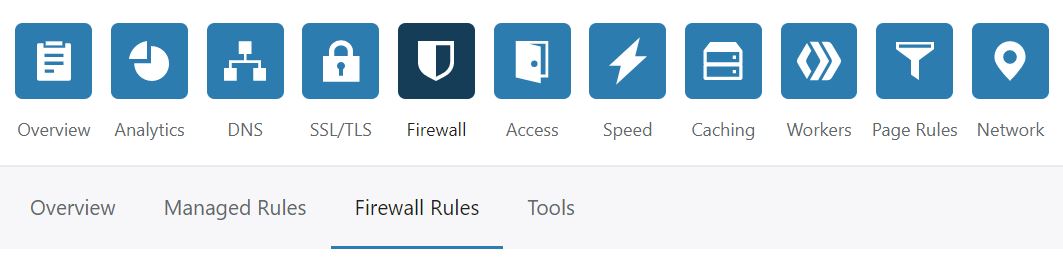
Click the Firewall Icon in the top menu.
Click the menu Firewall Rules that appears underneath.
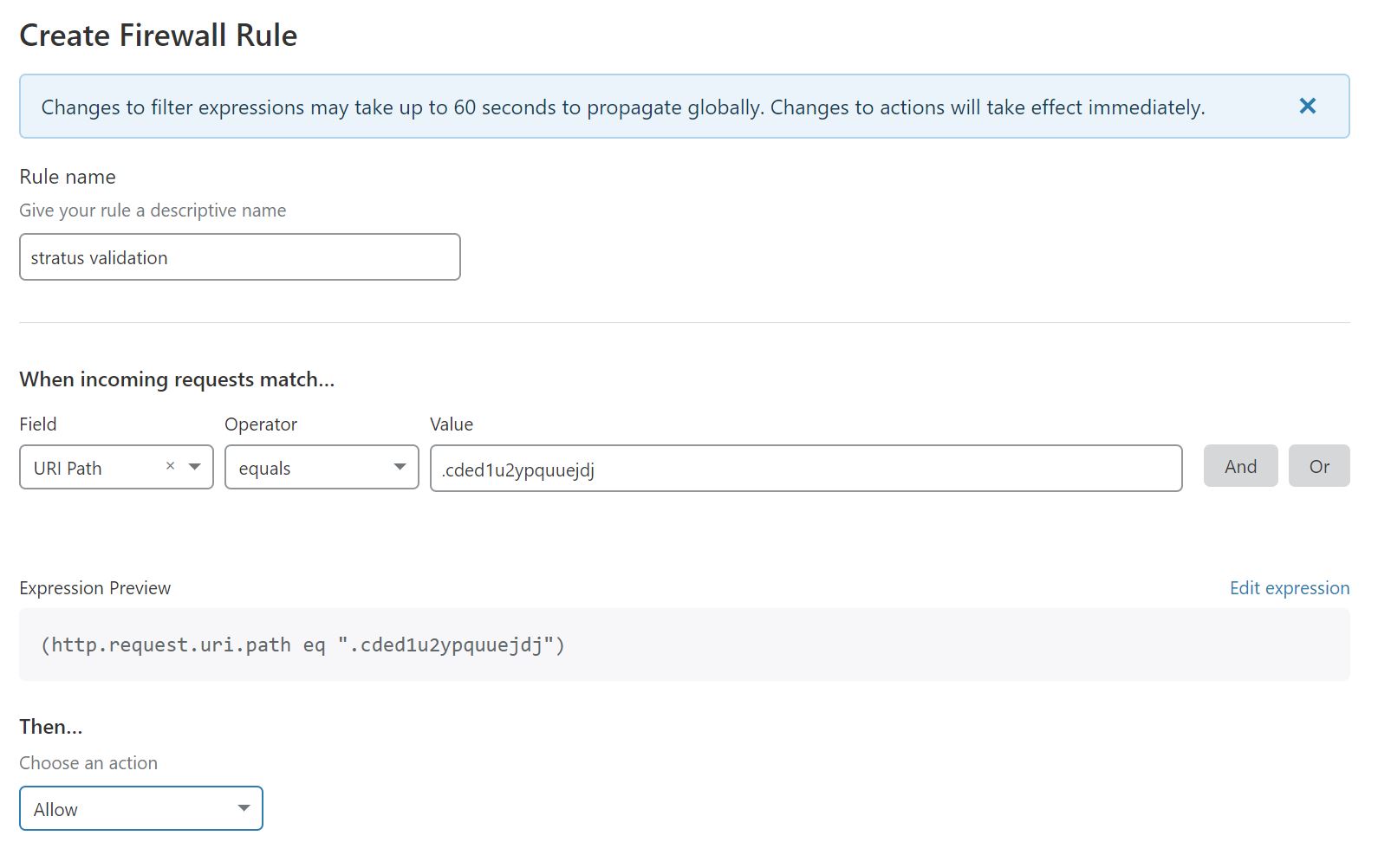
Click Create Firewall Rule.
Whitelist the hidden path as shown, substituting the noted UUID where shown:
https://magemojo.com/stratus/#/stratus/[UUID]/infoClick Deploy to save the change.
Confirm the change with a curl command such as
curl https://yourwebsite.com/.<uuid>
Last modified on June 3, 2026