Stratus Magento 2 Guides - Configure Elasticsearch
After choosing the version
& enabling Elasticsearch in Webscale STRATUS
, it must be configured in the Magento 2 Admin.
- Log into the Magento 2 Administration backend.
- Go to Stores > Configuration.
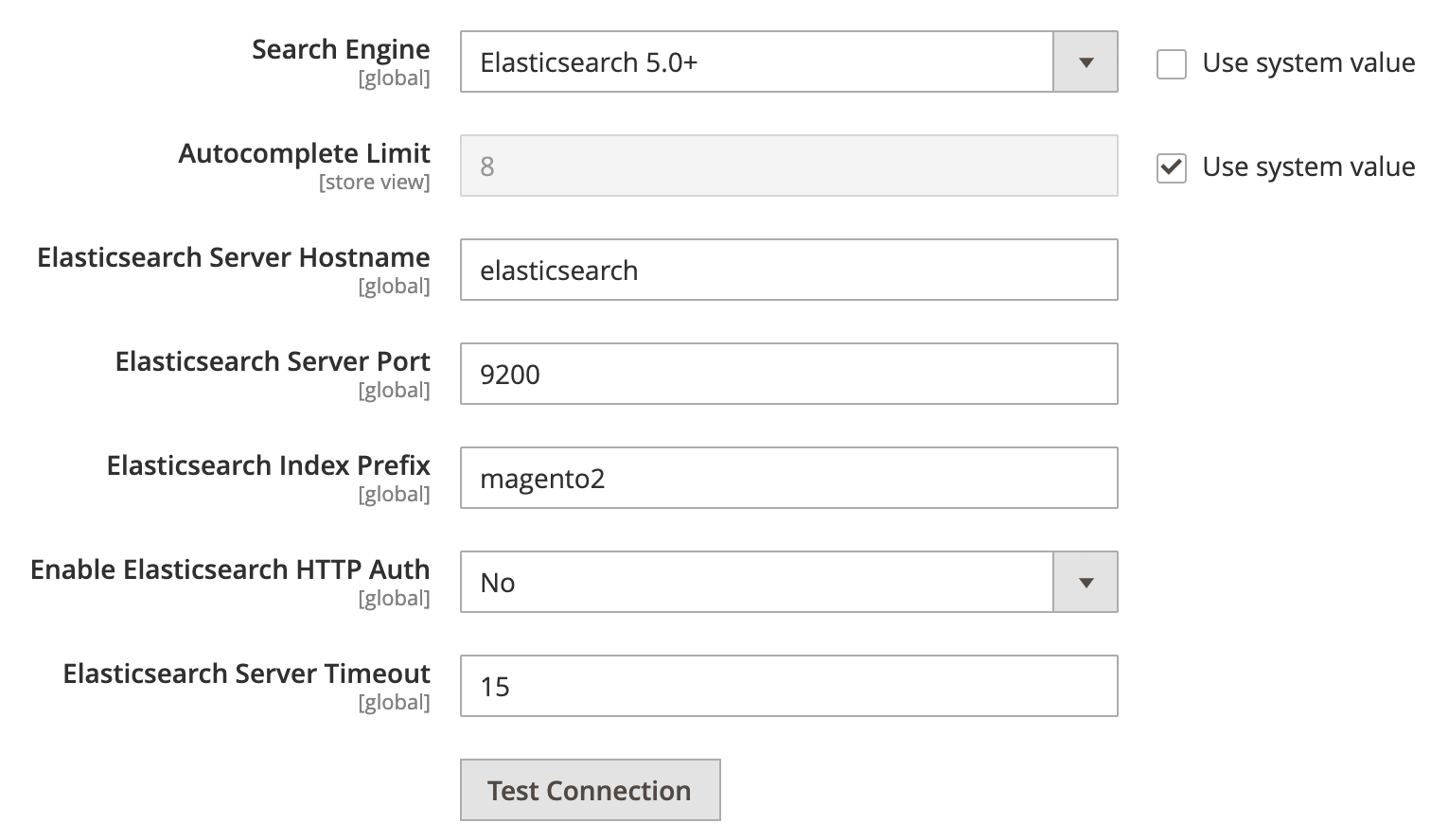
- Go to Catalog > Catalog in the sidebar menu. * De-select* Search Engine : Use system value. * Elasticsearch Server Hostname — Enter “elasticsearch”.
- Click Test Connection to validate the settings.
- Click Save Config to save the changes.
After activating Elasticsearch, re-index the catalogsearch_fulltext index using the Magento Admin, SSH access, or the Webscale STRATUS Control panel CLI commands .
Have questions not answered here?
Contact Support
to get more help.
Last modified on June 3, 2026