Stratus Panel - SSL > Settings
The SSL settings panel provides controls for the type of Secure Socket Layer (SSL) certificate applied to a Webscale STRATUS environment.
Click SSL in the left-hand navigation menu to reveal the SSL panels.
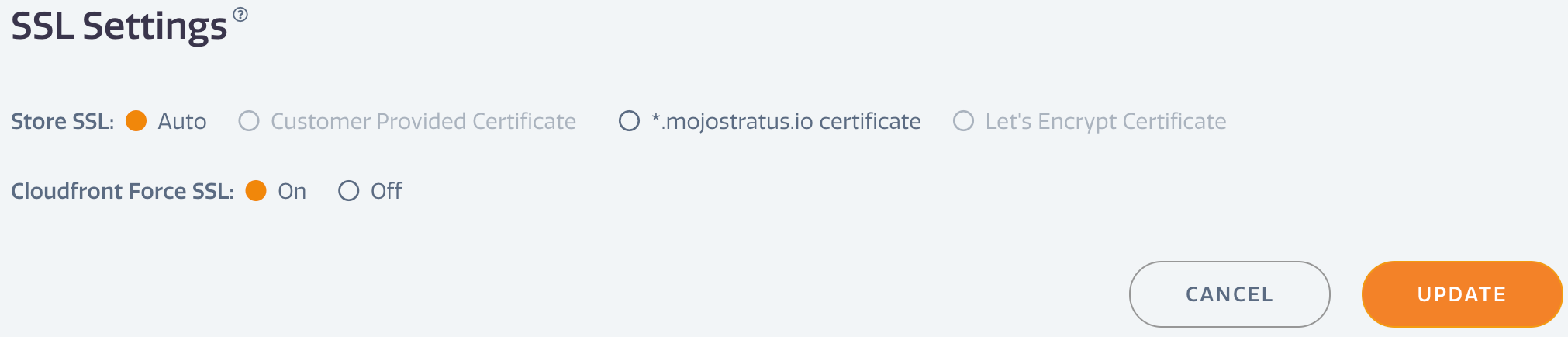
The SSL settings panel provides controls for the type of Secure Socket Layer (SSL) certificate applied to a Webscale STRATUS environment. Certificates are applied to the CloudFront distribution for the environment. STRATUS provides five options for installing an SSL certificate:
- Auto — attempts to select the best certificate option given the settings available. Defaults to Let’s Encrypt certificate generation.
- Customer Provided Certificate — uses a third-party certificate entered into the Customer Cert panel.
- *mojostratus.io certificate — uses the MageMojo wildcard for temporary domains during initial setup or testing or development. Enabling this will cause any URLs/domains set in the URLs section to stop working if they are not a mojostratus.io subdomain
- Let’s Encrypt Certificate — for valid domains (using Route53 nameservers /), will apply a Let’s Encrypt certificate, once generated.
The CloudFront Force SSL setting will add a forced redirect to HTTPS for all content if set to On, the default setting. The redirect will preserve paths (i.e. http://mystore.com/page.html will be directed to https://mystore.com/page.html) .
Have questions not answered here?
Contact Support
to get more help.
Last modified on June 3, 2026